Releases
Wifox Trading Release 2.34.0: Introducing Layout 3 and a More Flexible Trading Experience
Date:
13.10.2026
A trading platform should adapt to how traders work, whether they are monitoring multiple positions on desktop or managing their accounts from a mobile device.
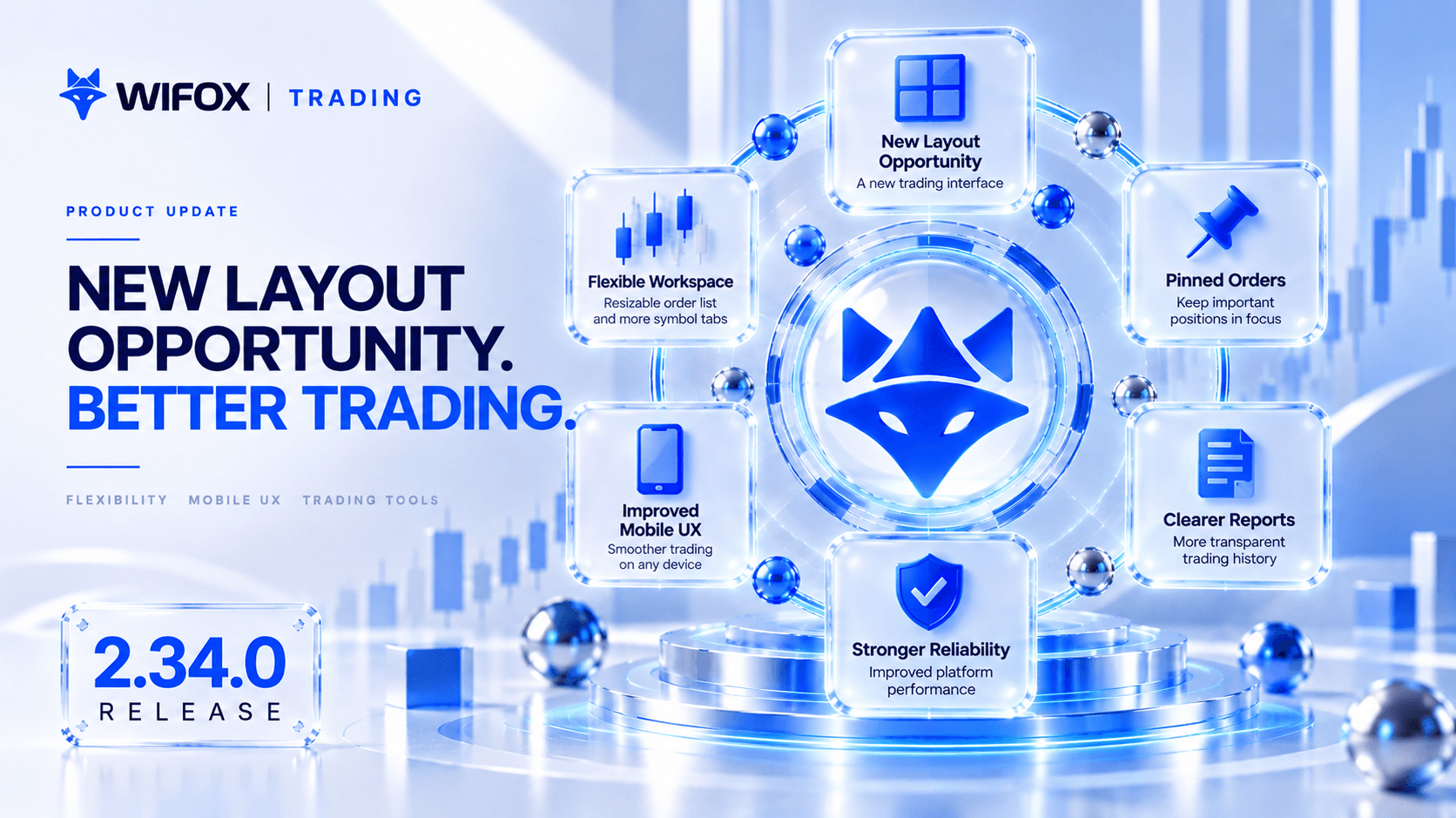
Wifox Trading Release 2.34.0 introduces Layout 3, a new trading interface designed for a more consistent experience across desktop and mobile.
The release also expands workspace customization with resizable order lists, persistent pinned orders, and improved symbol navigation. Alongside these changes, mobile usability, transaction reporting, order history, and platform reliability have been refined.
Meet Layout 3: A New Trading Interface
The main highlight of Release 2.34.0 is Layout 3, the latest addition to the Wifox Trading interface.
Built for both desktop and mobile, Layout 3 introduces an updated visual structure that brings trading controls, market information, and order management together in a more consistent environment.
The new layout provides traders with another way to interact with the platform while maintaining access to essential trading functionality.
For brokers, it also expands the range of trading interface experiences available through Wifox Trading.
More Control Over Your Trading Workspace
Different traders need different amounts of space for charts, instruments, and open positions.
Release 2.34.0 introduces several improvements that make the trading workspace more flexible.
Resizable Order List
Traders can now drag to adjust the height of the order list based on their preferred workflow.
The order panel can also be expanded to occupy the available workspace, temporarily hiding the chart.
This is particularly useful when reviewing or managing multiple positions, where a larger order table can be more practical than a chart-focused layout.
More Symbol Tabs
The trading header has been refined to accommodate more symbol tabs, making it easier to switch between frequently monitored instruments.
Pin Important Orders
Traders can now pin selected open orders to the top of the list.
Pinned orders remain visible above other positions, helping users keep important trades within easy reach.
Pin preferences are stored in the database, allowing the same order organization to persist across supported devices.
The result: A trading workspace that can be organized around individual trading habits rather than a fixed interface arrangement.
A Better Mobile Trading Experience
Mobile trading requires more than adapting desktop components to a smaller screen.
Release 2.34.0 addresses several usability issues across the Trading Platform and Traders Room.
Consistent Mobile Layouts
Spacing and alignment have been standardized across mobile drawers, dialogs, and other interface components.
Duplicated padding has been removed, creating more consistent layouts for headers, content, lists, and action buttons.
Traders Room Mobile Improvements
Several mobile-specific issues have been resolved, including:
-
Screens that did not display correctly.
-
Missing scrolling in certain workflows.
-
Non-functional Market Closed buttons.
These fixes improve access to everyday account management and trading functionality from mobile devices.
Clearer Empty States
The Economic Calendar and Trading Ideas modules now display dedicated empty-state components instead of generic no-data messages.
This provides clearer visual feedback when information is unavailable and keeps the experience consistent with the platform's design.
Keep Important Positions in Focus
Managing multiple open positions becomes easier when traders can prioritize what they see.
With persistent order pinning, selected positions remain at the top of the order list even when other orders are added or updated.
Combined with resizable order panels, this gives traders greater flexibility when monitoring active positions and reviewing trading activity.
More Accurate Order History
Trading records should clearly distinguish how an order was opened from why it was closed.
An issue affecting Stop Entry orders could previously cause the opening order type to appear incorrectly as the close reason.
Release 2.34.0 corrects this behavior.
Order history now records the appropriate close reason, including Closed by Client or Closed by Manager, when applicable.
This provides clearer information for traders, account managers, and support teams reviewing past activity.
More Transparent Transfer History
The Transfer History interface now includes additional information about completed financial operations.
Updated tables and transaction details provide visibility into:
-
Transaction currency.
-
Transfer network.
-
Equivalent amounts in the account currency.
This is especially useful for transactions involving cryptocurrencies or currency conversion, where the transferred asset and account currency may differ.
Clients can review more of the relevant transaction context without needing to reconstruct the details separately.
Faster Access to Recent Trading Reports
Closed orders in the Reports modal are now sorted by Close Date, newest first, by default.
This makes the latest trading activity immediately visible when opening a report, reducing the need to adjust sorting manually.
Clearer Statuses and Permission-Based Visibility
The release also improves consistency across financial and administrative interfaces.
Standardized Transaction Statuses
Transaction statuses such as Pending, Success, and Rejected now follow the updated Layout 3 visual design.
Consistent status indicators make transaction states easier to recognize across the platform.
Correct Balance Visibility
Permission-related issues that could incorrectly hide trading balances from authorized employees have been resolved.
Balance visibility now better reflects the configured access permissions, helping employees access the information required for their roles.
Stronger Trading Reliability
Alongside the visible interface improvements, Release 2.34.0 includes additional engineering work on the Trading module.
The unit test suite has been corrected and verified to improve automated coverage of existing trading functionality.
This supports more reliable development and helps identify regressions as new features and changes are introduced.
A Trading Experience That Adapts to the User
Release 2.34.0 represents another step toward a more flexible and consistent Wifox Trading experience.
Layout 3 introduces a new interface for desktop and mobile trading.
Resizable order panels and pinned positions give traders more control over their workspace.
Mobile improvements make everyday account management easier, while clearer reports, transaction details, and order history improve visibility into trading activity.
Together, these updates make Wifox Trading more adaptable to different workflows, devices, and trading preferences.
digitize your
digitize
your
Business
today!
Unlock your potential with our powerful core solution — the foundation your business will grow on for years to come.


