Releases
Wifox Core Release Overview: Workspaces, AI Agent and a New CMS Experience
Date:
13.10.2026
Managing projects, working with client data, publishing content, and handling financial operations often requires switching between multiple systems.
The latest Wifox Core release brings more of these workflows into one environment.
With native sprint management, a centralized AI Agent, expanded CMS automation, and more flexible financial tools, teams can organize work and manage everyday operations directly within Wifox.
The release also introduces real-time notifications, stronger security controls, and interface improvements across the platform.
Workspaces: Project Management Inside Wifox
Workspaces takes a significant step forward with native sprint planning and execution capabilities.
Instead of relying entirely on external project management tools, teams can now organize their work into structured iterations directly within the platform.
Native Sprint Management
Workspaces now supports the complete sprint lifecycle:
-
Planned — Prepare upcoming work and organize priorities.
-
Active — Execute and track the current sprint.
-
Closed — Complete an iteration and retain its work history.
This gives teams a consistent structure for planning and monitoring progress.
Interactive Backlog and Sprint Planning
A new drag-and-drop planning interface allows users to move tickets between the backlog and upcoming sprints.
Teams can organize priorities visually, adjust planned work, and prepare iterations without manually editing each ticket.
Customizable Sprint Boards
The new Kanban-style sprint board supports configurable columns and statuses.
Different departments can adapt workflows to their processes, whether they are managing software development, operational requests, or internal projects.
Tickets also use unique identifiers such as WM-123, making individual tasks easier to reference in conversations and documentation.
The result: Workspaces becomes a more complete environment for planning, tracking, and coordinating team activities.
A Centralized AI Agent Experience
AI capabilities are becoming a more consistent part of Wifox Core.
Previously, AI actions were distributed across different areas of the interface. The new approach introduces a single AI Agent entry point in the global header.
This makes AI assistance easier to discover and provides a consistent interaction pattern throughout the platform.
More Predictable AI Interactions
AI generation now requires explicit user confirmation before execution.
This gives employees clearer control over when AI operations are triggered and helps avoid unnecessary generation requests.
More Relevant Client Summaries
AI-generated client summaries have been refined to focus on information that matters to account managers.
The updated analysis places greater emphasis on:
-
First Time Deposits (FTD)
-
Trading activity and patterns
-
Relevant client history
-
Information useful for preparing follow-up communication
Instead of requiring managers to review multiple records individually, AI can organize relevant information into a readable summary.
Greater Control Over AI Infrastructure
Wifox has also transitioned its AI integration toward internally managed infrastructure, reducing reliance on external AI providers.
This gives the platform greater control over AI configuration, processing, and integration with CRM workflows.
CMS: More Flexible Content Management and Automation
The CMS introduces new capabilities for managing multilingual content, automating publishing workflows, and working with large pages.
Scheduled AI Content Generation
Content generation can now be scheduled, allowing teams to automate supported writing, rewriting, and translation workflows.
This reduces repetitive manual work when maintaining frequently updated content across multiple languages.
Editorial review and publishing controls remain important for maintaining content quality.
One-Click Page Cloning
Pages can now be cloned together with their multilingual versions.
This is particularly useful when creating similar landing pages, preparing regional content, or reusing an existing page structure.
Instead of rebuilding each variation manually, content teams can start from an existing page and adapt it to their needs.
Improved Content Editing
The content editor now includes a fixed-height workspace and sticky formatting toolbar.
Formatting controls remain accessible while editing longer articles and pages, making complex content easier to manage.
The result: A more efficient CMS workflow for teams managing multiple pages, languages, and recurring content updates.
More Flexible Financial Operations
The financial module introduces improvements to invoicing, reporting, and commercial pricing.
Cross-Currency Invoice References
Invoices now support Cross Rates, allowing an amount in one currency to be displayed alongside its equivalent in another.
For example, an invoice issued in EUR can include a USDT reference amount and the corresponding conversion rate.
This gives clients additional payment context while keeping the primary invoice currency clear.
Dynamic Reporting Periods
New Current Month and Last Month filters automatically adjust to the calendar.
Finance teams can reuse these filters without manually selecting date ranges every reporting period.
Item-Level Discounts
Discounts can now be applied to individual invoice items rather than only to the entire invoice.
This supports more flexible pricing arrangements when different services or products require different commercial terms.
Real-Time Notifications and Better Operational Visibility
Wifox Core now uses WebSocket-based push notifications in place of periodic five-second polling for supported notification workflows.
Events can reach connected users as they occur, without waiting for the next polling interval.
This improves responsiveness for time-sensitive notifications and reduces unnecessary repeated requests to the server.
Employee Login Audit History
Successful and failed employee login attempts are now recorded with timestamps and IP information.
This provides administrators with additional visibility into authentication activity and supports internal security reviews.
Call Recordings in Client History
Call recording links can now be stored directly alongside corresponding CRM call records.
Authorized managers can access available recordings from the client interaction history, making it easier to review conversations and support quality-assurance processes.
Stronger Client Privacy and More Consistent UX
This release also continues the platform-wide effort to make everyday interactions more consistent.
Expanded Contact Data Protection
Hidden Phone masking has been extended across CRM contact fields.
Sensitive numbers are masked by default where the relevant privacy controls apply, with explicit reveal actions available according to user permissions.
Standardized Drawer Layouts
Side panels now follow a more consistent structure, including standardized action footers.
This makes common actions easier to locate when switching between different CRM modules.
Smoother Client Navigation
Client drawer headers now maintain consistent dimensions, reducing unnecessary layout shifts when navigating between client records and sections.
These refinements may be less visible than major new modules, but they contribute to a more predictable experience for employees working in the CRM throughout the day.
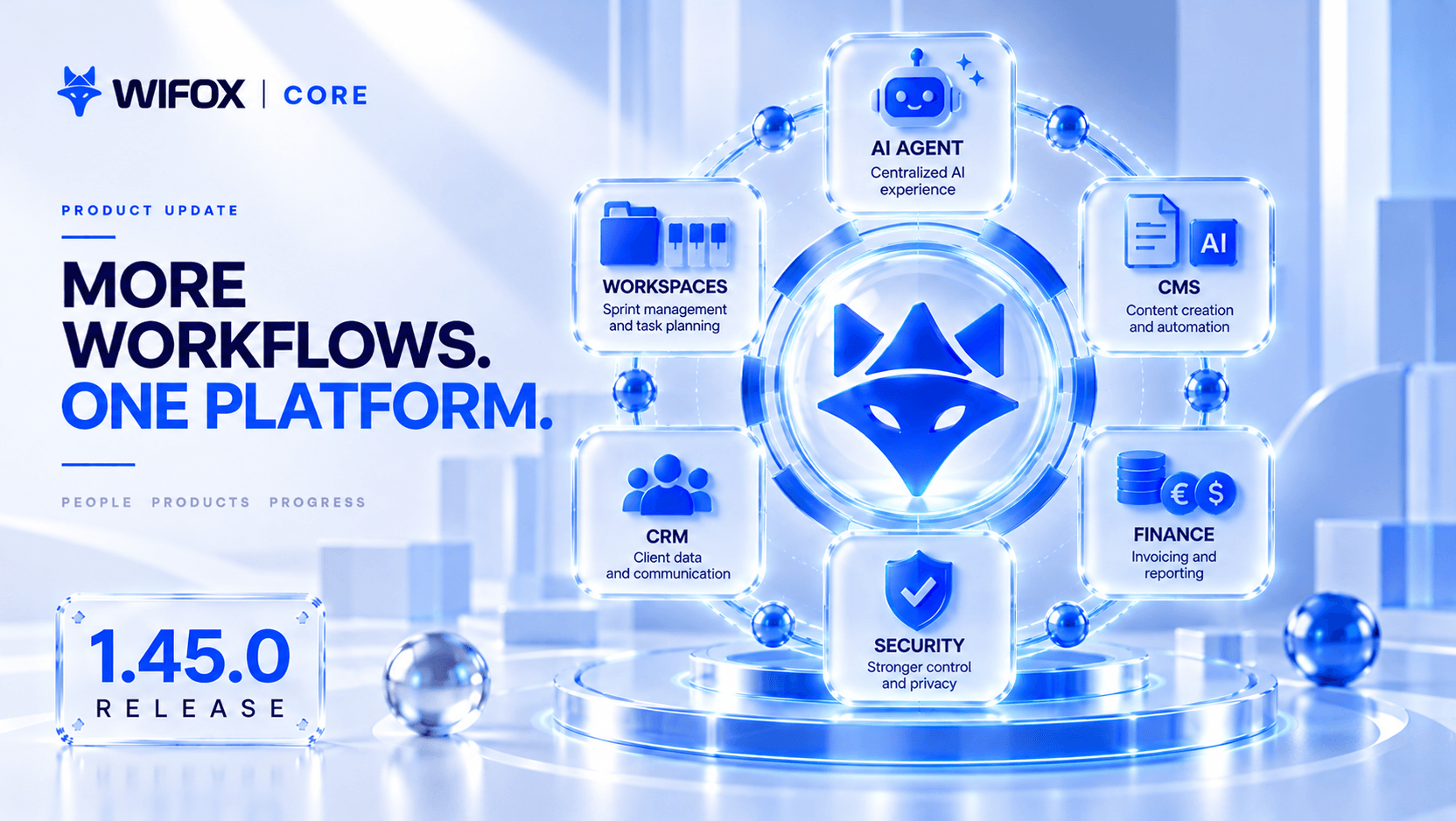
More Workflows, One Platform
This release represents an important step in the development of Wifox Core as a connected operational platform.
Workspaces now supports structured sprint planning and execution.
AI Agent provides a consistent entry point for AI-assisted workflows.
CMS makes multilingual content management and scheduled generation more flexible.
Financial tools support more detailed invoicing and reporting, while real-time notifications, audit history, privacy controls, and interface refinements strengthen everyday operations.
The direction is clear: bringing more of the work that teams perform every day into a single, connected environment.
digitize your
digitize
your
Business
today!
Unlock your potential with our powerful core solution — the foundation your business will grow on for years to come.


